New in the SumatraPDF pre-release builds:
Tab switching in most-recently-used order
The new
TabsMru advanced setting makes Ctrl + Tab go through tabs in most-recently-used order.More details in image and comic book properties
Document Properties (
Ctrl + D) for image files now shows size, dimensions, DPI and EXIF metadata (#4265). For comic book files (CBZ, CBR, CB7, CBT) it lists the image files in the archive.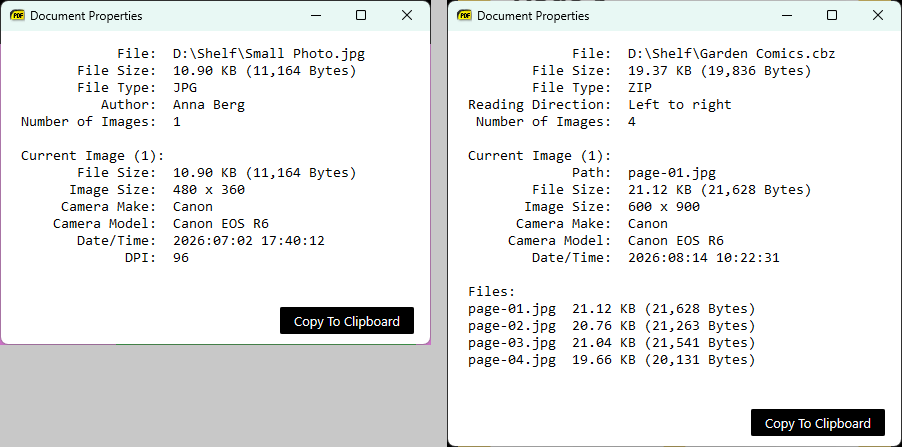
Image editor keyboard shortcuts
In the image crop/resize window,
Esc switches back to save mode and Ctrl + C copies the image to the clipboard.No border around the sidebar trees
The border around the Table of Contents and bookmarks trees is gone.
Menu bar respects UIFontSize
The menu bar uses the font size from the
UIFontSize setting.More: changes from April 1, 2026 and the full changelog.