New in the SumatraPDF pre-release builds:
Drag selected text to other apps
Select text in a document, then drag it into another application such as a text editor (#507).
Ctrl+click link opens in new tab
Ctrl + click on a link inside a PDF opens the target in a new tab instead of navigating in the current one (#5244).List Printers
New
List Printers command (CmdListPrinters) in the Ctrl + k command palette shows the available printers and their details.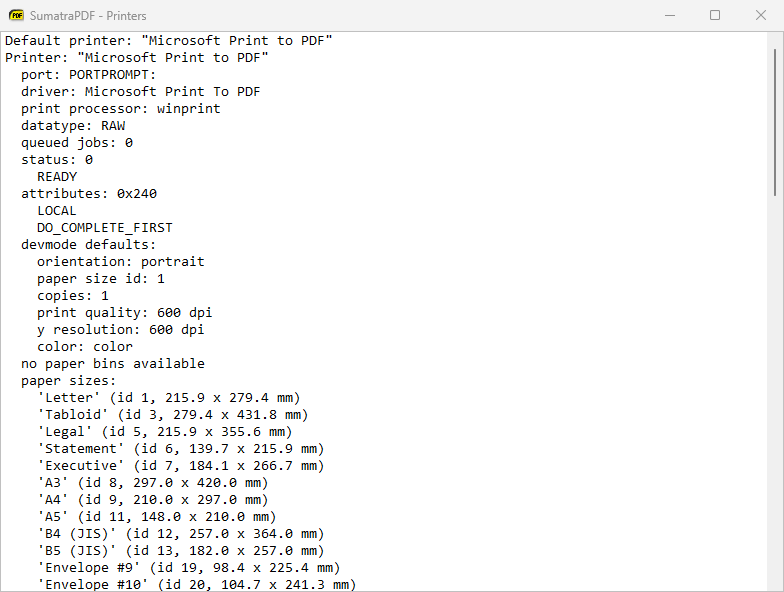
Register Windows preview and search filter from the palette
New command palette commands register or unregister the File Explorer preview handler and the Windows Search filter:
Toggle Windows Previewer (CmdToggleWindowsPreviewer) and Toggle Windows Search Filter (CmdToggleWindowsSearchFilter).-log-to-file command-line flag
-log-to-file <file> writes the log to a file you choose, like -log but with a custom path.Themes apply to more of the UI
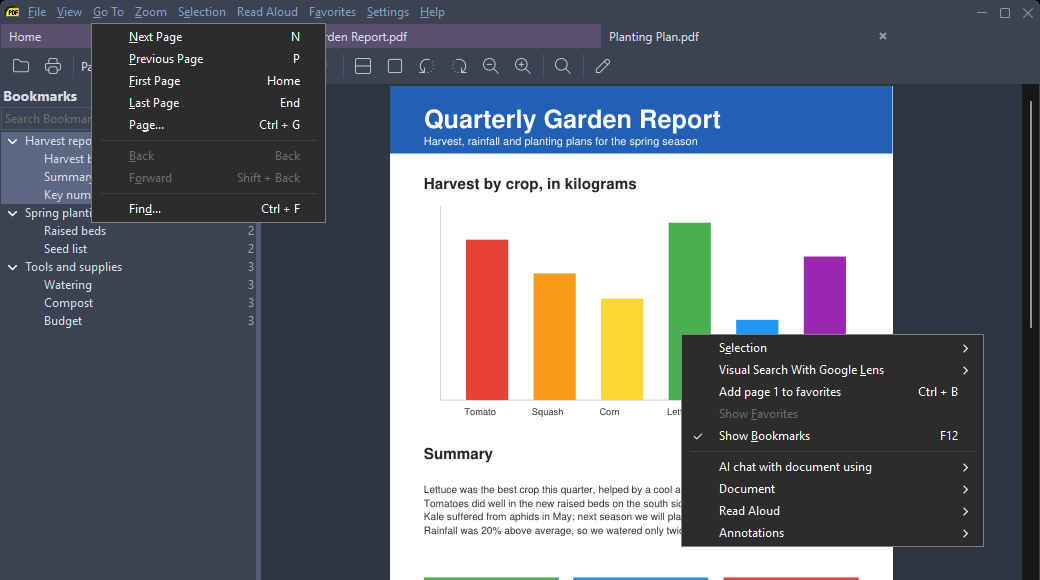
Theme colors now apply to the menu bar, context menus, the title bar (Windows 11+), minimize/maximize buttons, the overlay scrollbar, the “loading” message and the home page promo message (#5421).
Esc to Exit closes the window
With
EscToExit on, Esc closes the whole window, not just the current tab (#5416).Time zone in document dates
Document Properties shows the time zone for creation and modification dates (#948).
Warning for invalid shortcuts
SumatraPDF warns you when a custom shortcut in settings is invalid (#5417).
More: changes from March 26, 2026 and the full changelog.