New in the SumatraPDF pre-release builds:
Tab colors
Set Tab Color (
CmdSetTabColor, on a tab’s right-click menu) gives a document’s tab a custom color (#2725).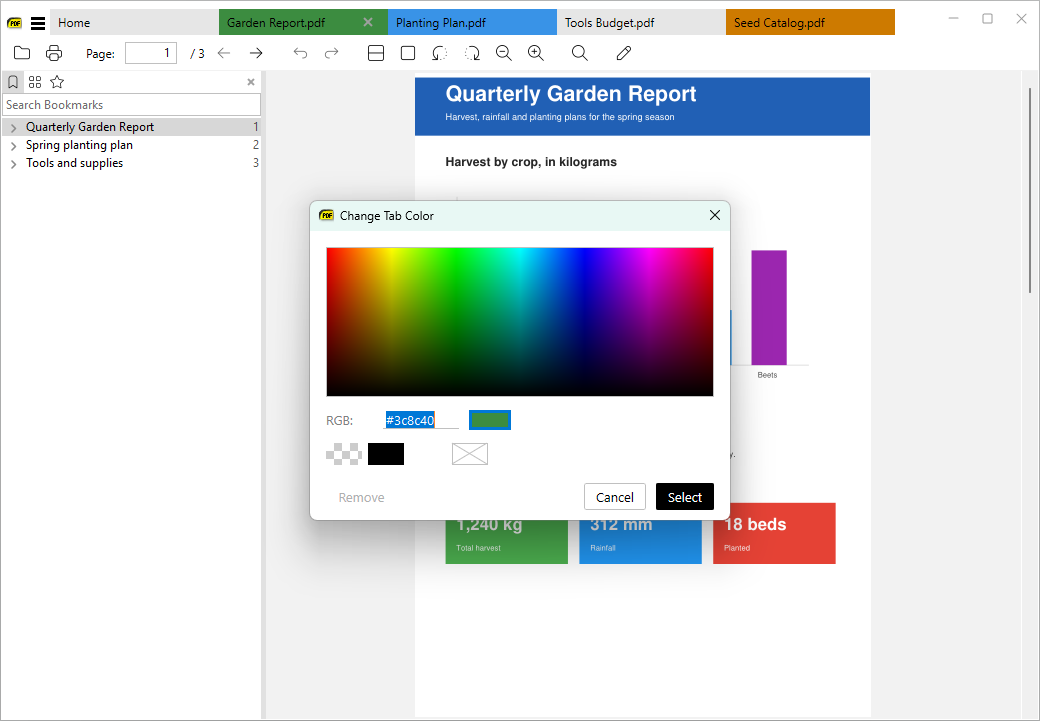
Search box on the home page
The home page has a search box above the thumbnails that filters recently opened files by name, with the matching part highlighted.
Ctrl + F focuses it, and Esc clears it.Chrome-like tab closing, context menu highlight, find tweak
When you close tabs with the mouse, the remaining tabs keep their size while the mouse is over the tab bar, so you can close many tabs quickly, like in Chrome (#601). Right-clicking highlights the page element (image, link, …) that the menu applies to.
Ctrl + F no longer starts searching right away. Press Enter or F3 to search (#5312).More: changes from April 11, 2026 and the full changelog.