New in the SumatraPDF pre-release builds:
Table of contents and favorites modes in the command palette
The command palette has two new modes.
% mode (Navigate Table Of Contents, CmdNavigateTableOfContents, Shift + F12, or type % at the document) shows the whole table of contents, with the entry nearest the current page already selected, so you can jump to any chapter by typing part of its name (#5676). $ mode (Navigate Favorites, CmdNavigateFavorites, or type $ at the document) lists favorites, starting with those of the current document, then other documents.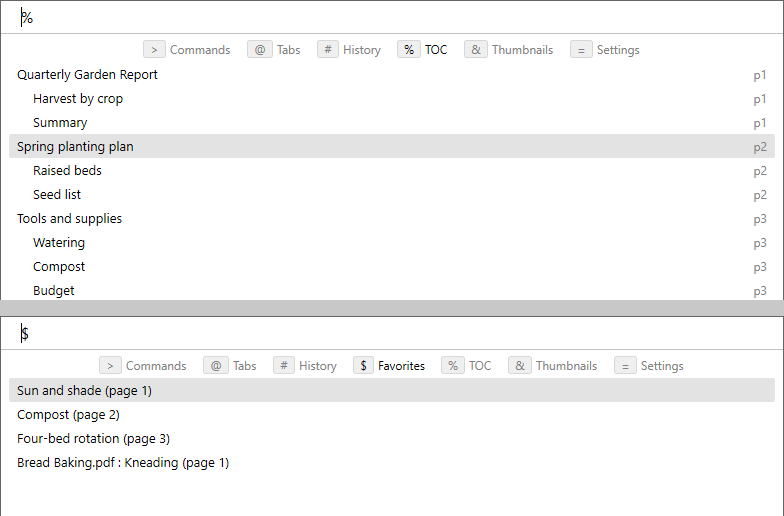
More -print-settings options
-print-settings accepts last and negative page numbers in page ranges, e.g. -3-last for the last three pages (#4967). docname= sets the print job name (#5065). portrait / landscape set the printer’s paper orientation (#5353).Zoom and link tooltip tweaks
When
ZoomIncrement is 0, Ctrl + mouse wheel steps through the ZoomLevels list (#5662). Link tooltips show web addresses decoded (e.g. spaces instead of %20) (#4836).More: changes from June 14, 2026 and the full changelog.