New in the SumatraPDF pre-release builds:
Scrollbars setting and Change Scrollbar dialog
The new
Scrollbars advanced setting picks the scrollbar style: windows, smart, overlay or hidden. It replaces the HideScrollbars and UseOverlayScrollbar settings. The new Change Scrollbar command (CmdChangeScrollbar) opens a dialog to pick the mode.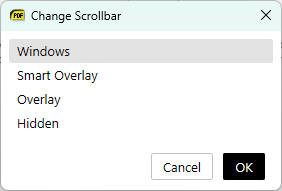
Shrink To Fit zoom
New
Shrink To Fit zoom mode (CmdZoomShrinkToFit): pages smaller than the window show at 100%, larger pages are fitted to the window. It is in the zoom menu and command palette, and works from the command line.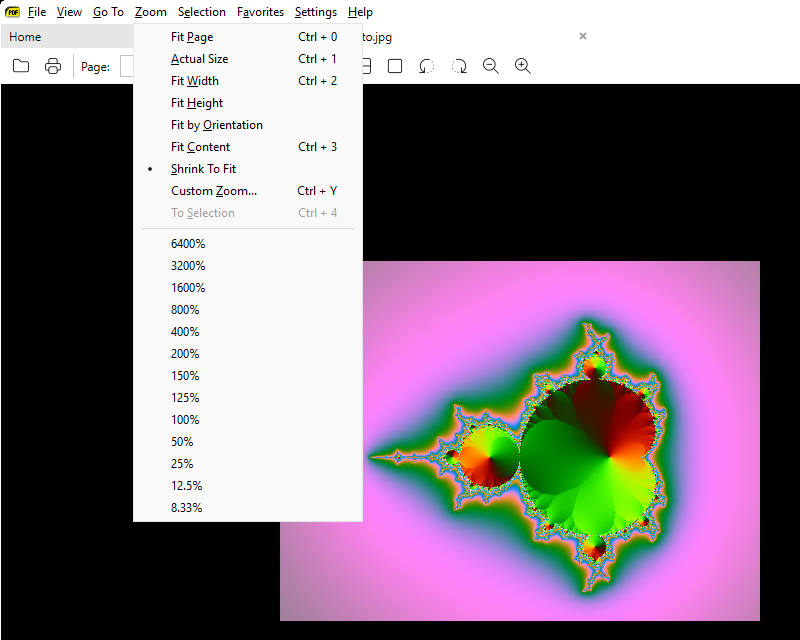
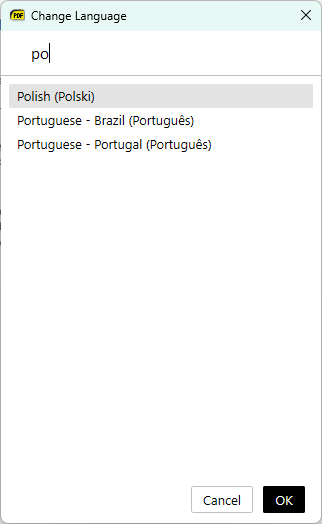
Search in Change Language dialog
The Change Language dialog has a search box at the top. Type to filter the list of languages.
Show Menu menu item
A
Show Menu menu item makes it easier to turn the menu bar back on (#5464).No more “make default PDF reader” dialog
Removed the dialog that asked to make SumatraPDF the default PDF reader.
More: changes from April 2, 2026 and the full changelog.