SumatraPDF is a PDF reader for Windows and Mac. New in the pre-release builds:
Markdown viewer in the browser view
Markdown (
.md) files now open in a WebView2 browser view by default. It has a two-level table of contents for the files in the folder, and each file is one page. Set the MarkdownUI.UseFixedPageUI advanced setting to true to switch back to the MuPDF fixed-page rendering. The first table of contents entry keeps its .md extension, and the tab title follows the current page.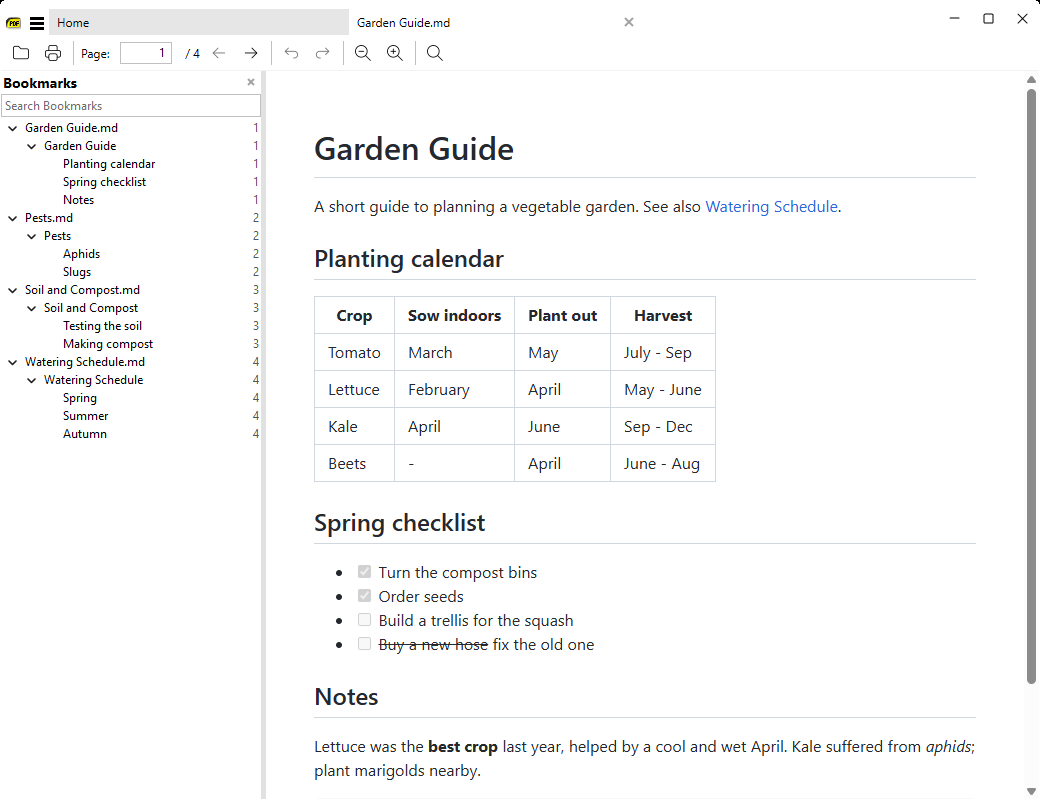
Screenshots open in crop mode
A new screenshot now opens straight in crop mode. Drag with the mouse over the image to draw a new crop area. This also switches to crop mode from the save or resize views.
More: changes from July 7, 2026 and the full changelog.